- Home
- POS & EPOS FAQ
POS & EPOS Systems FAQ
Your complete guide to Point of Sale systems in the UK
What is a POS system? You might have a rough idea of what POS (Point of Sale) means, or you might not; either way, this is what it is. At the point where you hand your cash or card or pay contactless over at a till, this is primarily called the point of sale where the sale happened by UK law. Did you get that?
Frequently Asked Questions
No FAQs found matching your search. Try different keywords.
What does POS stand for?
Well, the words “Point of Sale" or another version "Point of Purchase", are commonly referred to as POS for card payments at the till, and that’s what it stands for, your information and thought for the day.
What is an EPOS system?
An EPOS system or digital POS is a system that basically runs the shop or supermarket, or any small retail store with smart software. It can tell when items are purchased, when staff change over tills and counts the cash and card transactions. EPOS is a very clever piece of software and it's getting much more sophisticated with AI integration and could one day lower shoplifting to very minimal by changing bar codes from purchased to non-purchased items.
What is the difference between POS and EPOS?
This is a question that comes around every day as people and business owners want to know what the difference from POS and EPOS. Okay, POS is a basic card payment solution combining hardware (a card machine) and software for taking customers' money. An EPOS, or Electronic Point of Sale, is a very handy tool with more analytics and data for when products are purchased in-store and tracking everything that happens at the till.
What is the difference between a cash register and an EPOS system?
There’s a big difference. A cash register takes cash primarily, with no electronic way to take card payments. Small shops or cash-only shops prefer a basic cash register. Now EPOS is a whole different ball game with all the bells and whistles with handy till hardware and till software that help business owners keep the business running just nicely.
How does a POS/EPOS system work?
You need a constant internet connection for any POS or EPOS to work properly, and sometimes a dedicated line, which is costly, but mostly for big supermarket chains. It handles all card transactions from chip and pin, security and fraud prevention and prints out receipts for customers. The systems also handle stock and sales, and know which member of staff is on shift.
What are the benefits of using a POS/EPOS system for UK businesses?
There are loads of benefits to using POS/EPOS system for UK businesses. From the business owners stance, he/she can view daily sales figures, and they can check if restocking is going to plan. The systems are great for keeping the numbers right for HMRC (VAT) and keeping a careful eye over staff when mistakes happen.
What types of businesses need a POS/EPOS system?
In 2026 and beyond, every business is going that way as cash only is becoming less and less every year. The suitability ranges for small and large retail businesses and the hospitality industry heavily rely on card processor's – to barber shops, salons and cafes. Other shops such as corner shops / newsagents, butchers, greengrocers, bakeries, fishmongers, off-licences, chemists or pharmacies. And even the local Post Office (counter in a shop), charity shops and the local delicatessen (deli). So every type of business, really, from small startups to multi-site UK chains.
Can a POS/EPOS system be used in different industries in the UK?
Yes, you name it, every industry you can think of, from the hotel in the city centre to the back street convenience store. Clubs and pubs, local bars and Wetherspoons, so all industries can utilise POS/EPOS systems. EPOS software is bespoke for different industries like table mapping for hospitality or promotions for shops.
How much does a POS/EPOS system cost in the UK?
Okay, the hardware can be costly from £400 to £500 right up to £4000 including VAT. Then you’ll have a monthly charge for some busy businesses and then ongoing card transaction charges from 0.1%–3.5% and upwards. We can’t give you an accurate pricing on costs because we don’t know what you need yet - get a quote here and find out.
Are there hidden fees with POS/EPOS systems?
With the financial market fully regulated in the UK, hidden fees usually do not come into play as the terms of service will be spoken to you when you set up your EPOS system. All charges will be explained, fully.
What cards can I accept with a UK POS/EPOS system?
The usual suspects, Mastercard and Visa are the primary cards, then you have other cards like American Express and Amex. Contactless pay through Apple/Google Pay is the preferred way to pay on mobile. Surcharges are banned since 2018.
What payment methods can customers use with a POS/EPOS?
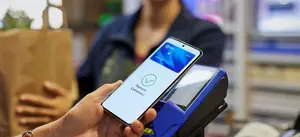
You have a few from Google Wallet, Apple Wallet pay with chip & pin and contactless transactions up to £100 at any POS till. And QR and online payment links from Paypal and other merchants are also payment methods.
How do I take card payments with a POS/EPOS system?
The customer adds items, then displays their card, you open your app and press the checkout tab or if you have a till in store it’s the same - and approved or declined.
What is the difference between an integrated and a standalone card machine?
An integrated card machine connects directly to your till/POS software, automatically sending the exact sale total to the terminal and recording the payment confirmation back in the till, eliminating double entry and minimising errors.
Second, we have the standalone card machine or the small card machine you can put in your pocket or use for mobile payments. It’s a separate device and you have to input the total amount, say £15.77, manually, then reconciling the payment on your app. This way errors can happen if not careful.
How quickly do funds appear in my bank account?
It depends on the way you have same day payments set up like on the SumUp app. You might choose to receive the payments in 1 or 2 days or have it sent to you within a few hours on the SumUp app. There may be weekend delays with other providers.
Can I take payments offline with a POS/EPOS?
Not really, because you need an internet connection or mobile data to connect and process your customers' card payments. If you don’t have a signal or want to take the payment later on, you can advise the customer that you will send them a payment link to their phone for payment when you get back to the office or back home.
How do I issue refunds with a POS/EPOS system?
Refunds are easy and you’ll see it on your app when your account is set up. When you have a payment from a customer, you’ll see Refund This Payment next to the amount. It’s easy, you’ll get the hang of it. Make sure consumer rights policies are met when issuing refunds.
What hardware is required for a POS/EPOS system?
If you have a high-street shop, you’ll probably need a POS till with the card reader at the side for taking payments. If you have a till already you may only need a small £35 card reader. Or set up your iPad, iPhone or Android device for taking card payments.
How much does POS/EPOS hardware cost in the UK?
Full till systems can cost a pretty penny, ranging from £35 to £200 for a card reader. Or you could see prices from £300 up to £3,500 for an EPOS system, and it could cost more depending on your requirements for the business. There may be rental options to get started selling faster if you ask.
Is POS/EPOS hardware purchased or rented?
If hardware is costly providers like Square and SumUp provide rental options. The only thing about rental options is that you’ll be paying that monthly charge for the lifetime of your business, compared to buying the hardware outright.
What printers or other peripherals work with POS/EPOS?
Most POS printers work by connecting via Bluetooth to your card reader and other hardware. You can also connect POS scales and POS scanner via Bluetooth/WiFi also. The mobile setups is easy and you’ll be fine getting started.
Is POS/EPOS software cloud-based or local?
Both, depending on what you go for. Cloud POS or cloud EPOS systems are generally more expensive but more reliable for the big players out there. Cloud EPOS comes with remote access, auto-updates and reliable backups. Local (on-premise) needs no internet connection but less flexible. Cloud dominates modern UK systems.
Can POS/EPOS manage inventory?
The whole purpose of POS and EPOS systems are to manage inventory and stock level so reordering is easy. Choose from real-time stock tracking and low-stock alerts, to supplier orders and for bigger businesses - multi-location support.
Does POS/EPOS provide reporting and analytics?
You definitely need reporting and analytics with any card processing software as standard measures. With analytics, you can see sales reports and sales peak times for best sellers, sold for discounting etc. Control staff performance, and it gives you VAT-ready exports for HMRC.
Can POS/EPOS track customer data and loyalty programmes?
When it comes to customer data a EPOS system or a basic POS system will track customers spending habits (points, discounts) and can offer you ways to sell (CRM integration) them more - so yes. And it can offer GDPR compliance for UK data handling.
How long does it take to set up a POS/EPOS system?
If you are an early bird and you get the ball rolling in the morning, your software and account can be set up within a few hours. Your account information and app download details will be sent to you by email and to start taking payments - just use your iPad or iPhone to get started. Big jobs for supermarkets and so forth can take weeks to set up. And then you have training time.
How do I get started with a POS/EPOS system?
At UKLI Compare you can get a quote from this page and get the ball rolling. Once you outline and sign-up and pick a POS hardware choice, that’s it. Once you get everything through the post (usually the next working day) working the card reader and training yourself to do a card payment is very easy.
What training and support is available for POS/EPOS in the UK?
You will see that POS and EPOS providers do have real guides for you to follow and so do we at UKLI. Most providers have options: phone/email, 24/7 and on-site UK-based support.
Can POS/EPOS integrate with accounting software?
The most common and best accounting software integrations are Xero and QuickBooks and then Sage for auto-sync sales and HMRC VAT numbers. So yes you can.
Can POS/EPOS integrate with online selling/e-commerce?
If you have a Stripe account, Stripe make it easy to going with selling online by sync with Shopify. Other merchants like WooCommerce and SumUp offer free e-commerce websites and make taking payments online available too. So, yes you have loads of options.
Can POS/EPOS handle multiple locations or stores?
A business with multiple stores can have the same company provide them with a good POS/EPOS system on the same account for more than one location. So, yes you can.
Is a POS/EPOS system secure for card payments?
Security is at the heart of card processors procedure. Customers come first that way, and security is very tight. You’ll have no major concerns about security because you’ll be keeping an eye on transactions as they come in on fraud alert anyway. All reputable UK POS/EPOS providers must meet this standard.
What is PCI DSS compliance, and why does it matter in the UK?
Compliance is something the merchant (provider) takes care of. When it comes to card data security and fines for non-compliance, most providers handle it for you.
How do I ensure my POS/EPOS is GDPR compliant?
If they open an account for you and you receive the card by post and you're given an account number and sort code - they are GDPR compliant. Providers handle customer data and consent for loyalty and secure storage if needed.
Can POS/EPOS operate offline?
In the real world the answer to that is no. Card transactions usually need some sort of internet connection for functionality in cloud systems, some do cache transactions.
What happens if my internet goes down?
Keep a backup internet option with two networks, like O2 and Vodafone, whichever network gives you the better signal where you work. Planning ahead is the key, and if you have no network available whatsoever, tell the customer you’ll send them a payment link later on.
How durable is POS/EPOS hardware?
Most providers offer very good warranties, and to be honest, POS and EPOS till hardware is generally well-made and one of the only pieces of tech that is made to last compared to consumer hardware. There are rugged hardware options for hospitality.
What is the warranty and return policy for POS hardware?
When you buy the hardware, you have a 30-day return policy on all hardware purchases and a good 1-year warranty. You may be offered extended warranties on certain hardware.
Do I need to pay per employee/user on POS/EPOS?
Most providers don’t charge per staff member login and offer unlimited staff logins. But some do for larger companies that need advanced permissions for certain managers to process refunds and other general processes.
Can staff have different access levels?
Sure, they can, and they should, for different levels of trust within your business. You can override role-based permissions for a cashier vs a senior manager's refunds.
How do I customise a POS/EPOS for my business?
Once you get the hang of it, you’ll be off and running, making changes and customisation like your mobile phone or iPad. Don’t stress, it really is simple, and when you get stuck, you’ll have support to help you via online chat or email.
What should I look for when choosing a POS/EPOS provider in the UK?
You should be looking for things like how easy the system and software are to use, so your 13-year-old could work around it. Also, make sure that you understand your card fees percentages. And get a rundown of hardware integrations like printer, scanner and tills and make sure that a good support team is on hand. Most providers handle scalability as you grow, adding extra tills, or other hardware or set up a new location.
Are there software-only POS/EPOS options?
This is a good question because this is the best way to get going as soon as your account number and sort code is generated. Look for your welcome email, download the app, and you're away, taking card payments like a pro.
Which payment providers integrate with POS/EPOS?
Most of them integrate with most hardware setups in the UK. Companies like Worldpay and Opayo are options for you. Also, Paymentsense and Takepayments are an option or in-app like Square. So, don’t worry about that!
Can I get a demo of a POS/EPOS system?
Yes, of course you can, nothing is forced on you, POS and EPOS are highly regulated, and you can play about with it and see if it’s for you. If it’s not, you can close your account down safely. Most UK providers offer free demos/virtual trials.
How do chargebacks work with POS/EPOS card payments?
Oh, chargebacks are something you don’t want to see and should be handled right away. Get it and ask why the chargeback was even submitted. You can sort it out with the customer before the chargeback even gets disputed. Keep all data and communication for your customer and the card processor, because you probably will need it.
What fraud protection does a POS/EPOS offer?
Security and fraud protection are handled in a very strict way according to the Financial Ombudsman Service. When a fraud complaint is raised against you, stop and sort it out, or it could mean the end of your business and account closure. You do have built-in tools and a system of in-app alerts with EMV chip compliance, reducing liability.
Can POS/EPOS handle split bills or tips?
This feature has been pushed hard by the banks over the last few years. You probably have seen an ad on TV about splitting the bill when you're out for dinner or lunch. It’s a highlight in EPOS hospitality and features table splitting and service charge addition.
Is a POS/EPOS system worth it for small UK businesses?
If you want to earn more, and make sure you grab every customer that walks through your doors - absolutely. Most providers offer a free business account, like SumUp or Mettle. Even solopreneurs benefit from mobile options.

Recent Articles


-
UK POS Systems & EPOS Solutions | Get Quotes from Top Providers 2026
Jun 21, 26 12:19 PM
 Compare EPOS system card machines for UK businesses. Free, fast quotes – secure card payments & trusted providers.
 -
ePOS Systems Motherwell - Get a Quote and Start Taking Card Payments
Feb 21, 26 02:31 AM
 Compare ePOS systems Motherwell and get a card machine that makes your business more money in the long run.
 -
London Taxi Card Machine POS System | Take TFL Approved Card Payments
Feb 20, 26 09:51 PM
 Taxi POS system in London, so customers can pay by debit & credit card made easy. TfL-approved card machines with contactless & integration for black cabs & private hire.
 -
POS Quote for Glasgow Taxi Drivers Who Need a Card Machine and Set Up
Feb 19, 26 07:50 AM
Get a POS system for Glasgow taxi drivers. Start taking card payments in your taxi and follow the Glasgow Council regulations. Cut-off date 5th of June 2026. -
ePOS System Aston | EPOS for Takeaways all Other Businesses Birmingham
Feb 18, 26 08:54 PM
ePOS system in Aston, Birmingham? If you own a nice and yummy takeaway, coffee shop or cafes, bars & retail. Fast setup, easy payments & stock management – get yours today! -
Compare ePOS Quotes From The UK's Top POS Providers - Fast!
Feb 17, 26 05:20 PM
Get free, no-obligation ePOS quotes from top UK providers for retail, hospitality and any small businesses that want to accept card payments. -
iPad POS System: Features, Costs, Setup & Top Providers for 2026 Guide
Feb 17, 26 11:13 AM
Explore the best iPad POS system for small businesses features card payments integrations pricing and setup pro tips to speed checkout cut costs and grow sales. -
ePOS System Alum Rock for Takaways and Small Business Near Saltley
Feb 16, 26 10:29 PM
Do you run a takeaway in Alum Rock and need an ePOS or POS system to start accepting card payments and sell more, making more? -
ePOS Systems Moseley for Your Card Machine and Software to Match
Feb 15, 26 06:38 PM
 Get the local answers to ePOS and POS systems in Moseley for all your card payment questions and answers, so you get to the place you want to.
 -
ePOS Systems in Ladywell - Compare providers and Get Set Up Quick
Feb 15, 26 05:52 PM
Compare ePOS Systems in Ladywell - Get the latest information on POS systems and if you don't take cards - you still have time to get a system.





- Home
- POS & EPOS FAQ
Return to the POS and EPOS homepage.
About the Author

Robert Mcleary
B2B Comparison Expert | Helping UK Businesses Since 2011
Robert Mcleary has been supporting UK businesses since 2011 by connecting them with the best B2B services. Drawing from 15+ years connecting UK businesses with vetted providers, he delivers unbiased comparisons and expert guidance on EPOS and POS systems and other business to business services.